Articles - How to
How to check an ASX drill result
A worked example of included intervals, downhole widths and source checks, followed by a repeatable reading workflow.
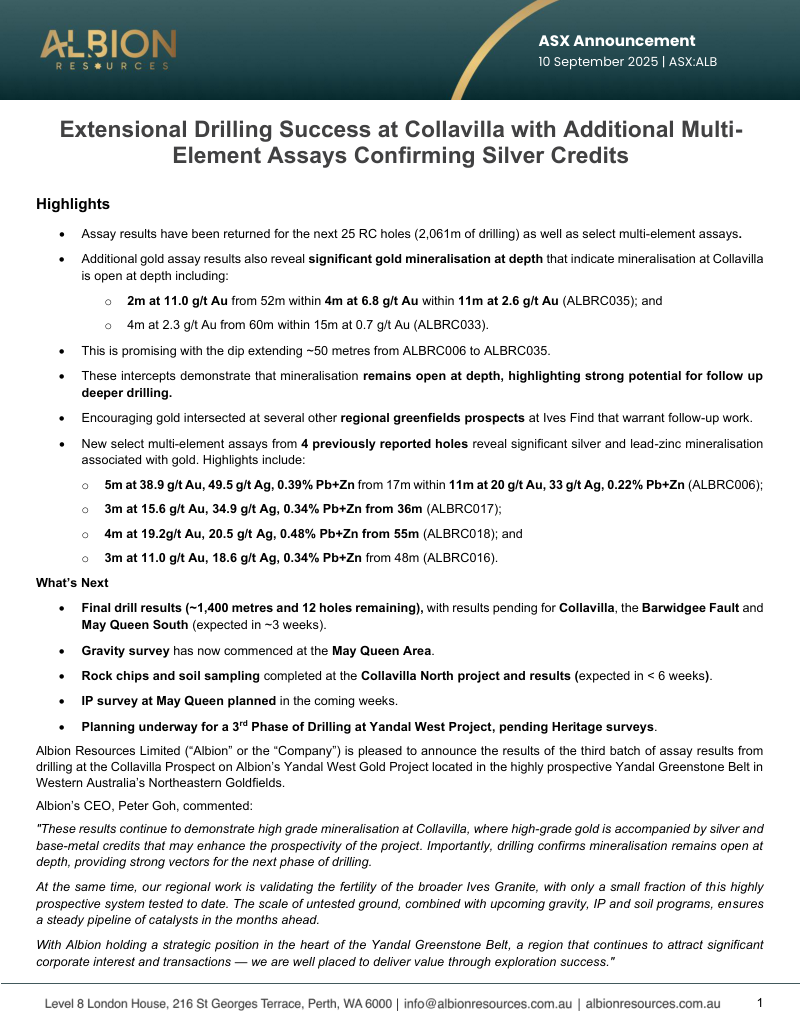
Source Report
Report Visualisation
Loading visualisation...
When an ASX announcement reports a drill intercept, check the original table before comparing it with another result. The hole ID, depth interval, units and width qualification should travel with the grade.
Here is a worked example, followed by a short workflow you can use on the next announcement.
A worked example: one interval, two grades
Midas Minerals’ 13 April 2026 Spaatzu announcement reports the following for SPRC004 in Appendix A, page 6:
Full interval: depths 27–48m; length 21m; copper 1.18%; silver 37.9g/t.
Included interval: depths 35–43m; length 8m; copper 2.01%; silver 66.0g/t.
The 8m is inside the 21m. Adding them would count the same ground twice. Using the higher grade for the full interval would also misstate the result.
Using the rounded copper grades, the remaining 13m averages approximately 0.67% Cu: (21 × 1.18 − 8 × 2.01) ÷ 13. This is our arithmetic check, not a separately reported intercept. Those 13m sit on either side of the included interval.
Page 13 qualifies the widths: SPRC004’s reported length is downhole; its true width is unknown. The same announcement also contains portable-XRF readings for SPRC062, with a warning that these do not replace laboratory analysis (page 1).
These checks prevent three different mistakes: double-counting an included interval, treating drilled length as deposit thickness, and mixing analytical methods.
1. Find the row behind the headline
Open the original announcement and search for the hole ID. Record the from-depth, to-depth, interval length, commodity and units. Check that the quoted result matches the table, including any “including” rows.
Read the reporting notes for cut-off grades, permitted low-grade gaps and averaging methods. These determine which samples are grouped into an intercept. If the headline and table disagree, keep the discrepancy visible rather than silently choosing a value.
2. Check what the width represents
Look for the relationship between mineralisation width and intercept length in the announcement’s JORC Table 1. A downhole interval measures distance along the drillhole. True width depends on the angle between the hole and the mineralised body.
If true width is unknown, retain that qualification in your notes. A collar dip alone is not enough to calculate it.
JORC Code 2012, Table 1, Section 2 provides the reporting checklist for drillhole information, aggregation methods, widths and diagrams.
3. Place the hole before calling it a step-out
Find the collar coordinates, coordinate reference system, dip, azimuth and any downhole survey information. Use the plan and section together: a plan locates the collar, while a section helps show where the drilled interval sits below ground.
Check a known location before combining datasets. If a hole lands in the wrong place, resolve the coordinate-system mismatch before measuring distances or drawing conclusions about continuity.
Canetoad interface illustration: checking coordinate context. This image is not a reconstruction of the Spaatzu example.
4. Compare it with the earlier drilling
Choose the nearest relevant previous holes and open their source reports. Write down what changed: a result outside the earlier drilled area, a test between existing holes, or another intersection within an established zone.
Keep reported observations separate from the company’s interpretation. If a section or survey is missing, name the missing evidence instead of filling the gap with a confident explanation.
Canetoad interface illustration: viewing drilling through time.
Keep a short result note
Use this format so someone else can retrace your reading:
Source: company, announcement date, hole ID and table page.
Result: full interval, included intervals, units and analytical method.
Geometry: reported width basis and available location or survey information.
Comparison: which earlier holes you checked and what the new observation adds.
Unresolved: the specific data or clarification still needed.
Use Canetoad to inspect the context
Find the company or project in Explore, inspect the available drilling and follow the source links back to the announcement. Use the map and 3D view to examine spatial relationships, then check any decisive value against the original table.
Canetoad interface illustration: an announcement alongside a 3D drilling view. Available data varies by report.
Keep the announcement open alongside the working view. That gives you a place to verify an interval or qualification without having to reconstruct your search.